Switching phones
Back up to Google Drive on the old phone, restore on the new one. Every thread comes across.
FOR ANDROID · RUNS LOCALLY ON YOUR PHONE
Back up and restore your texts. Read new SMS in your laptop's browser. Build your own rules that send texts to Slack, a webhook, Google Drive or Gmail. All of it runs on your phone.
No account to create. Gmail can only send, never read your inbox.
THREE THINGS, ONE APP
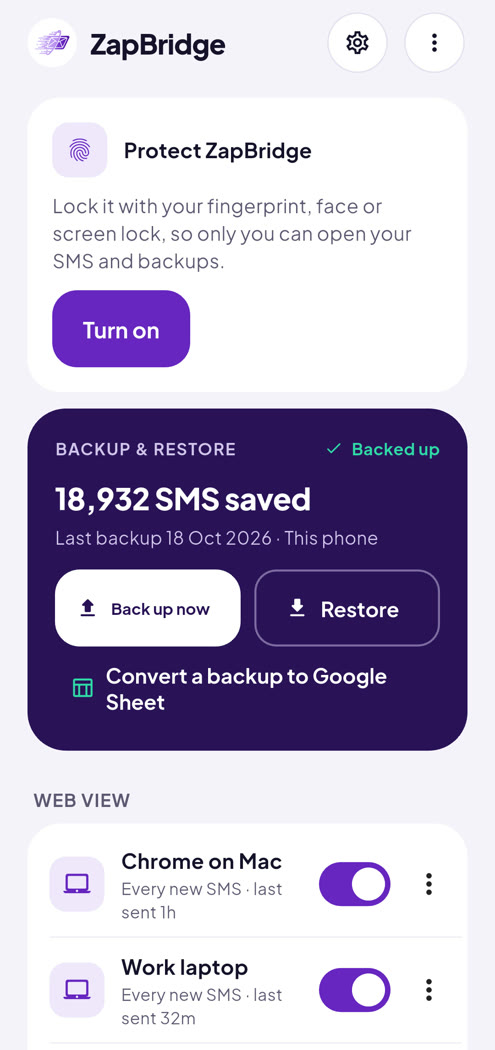
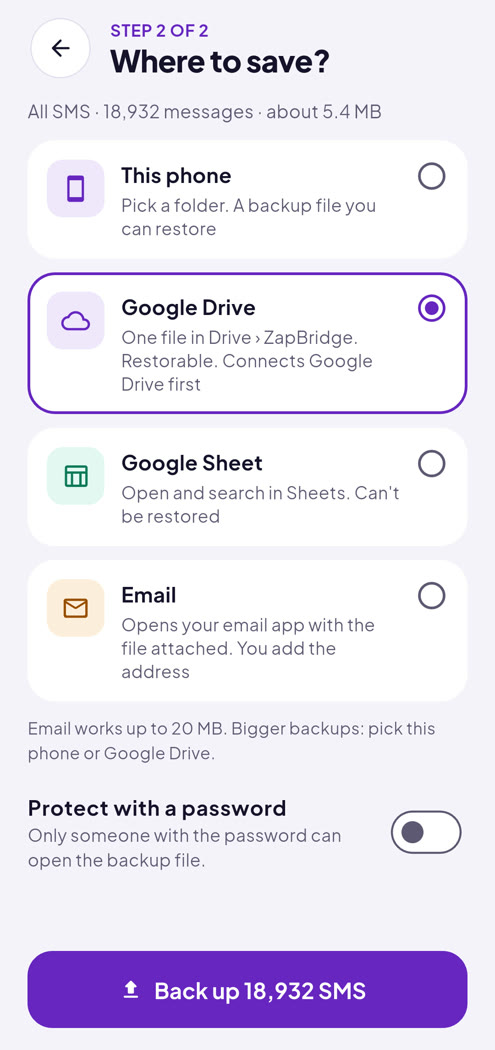
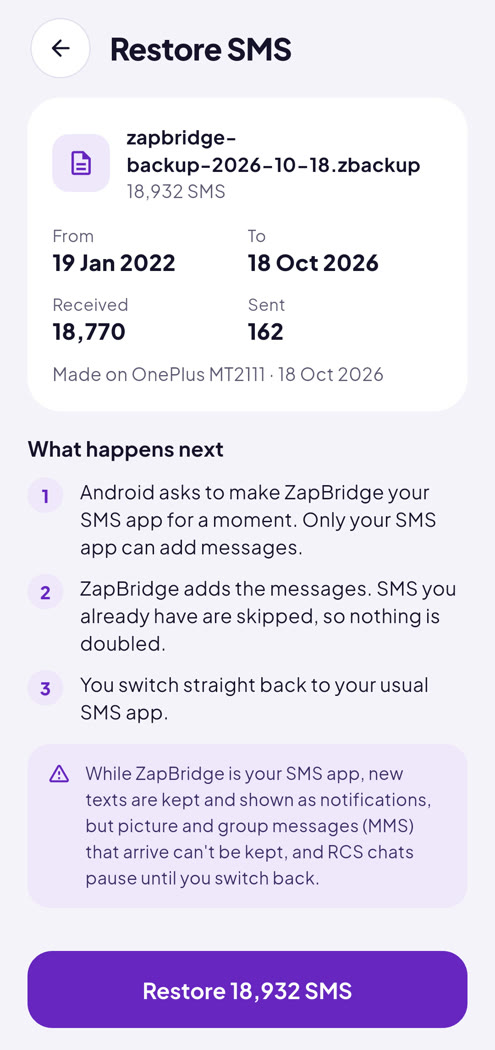
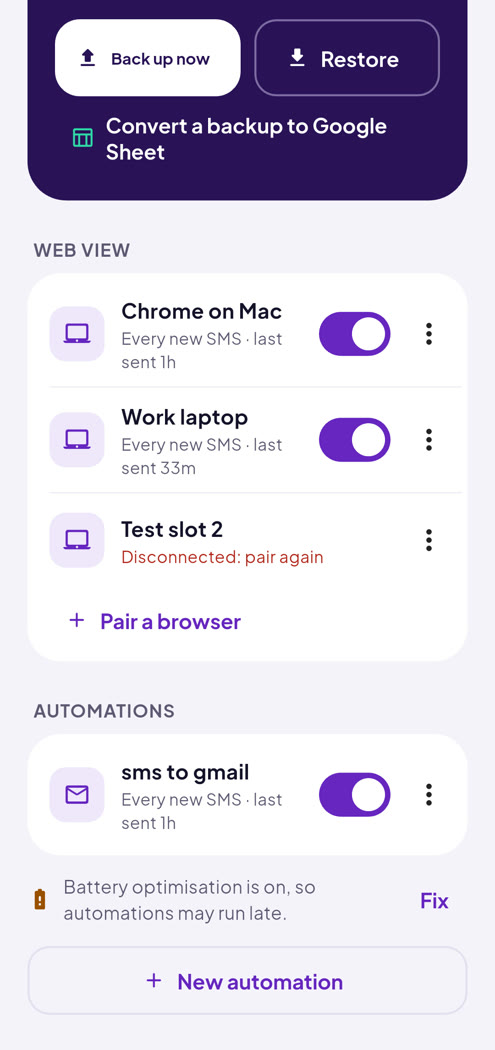
Save every SMS on your phone in one tap, or just a date range. Restore them on a new phone without losing a thread. Duplicates are skipped.
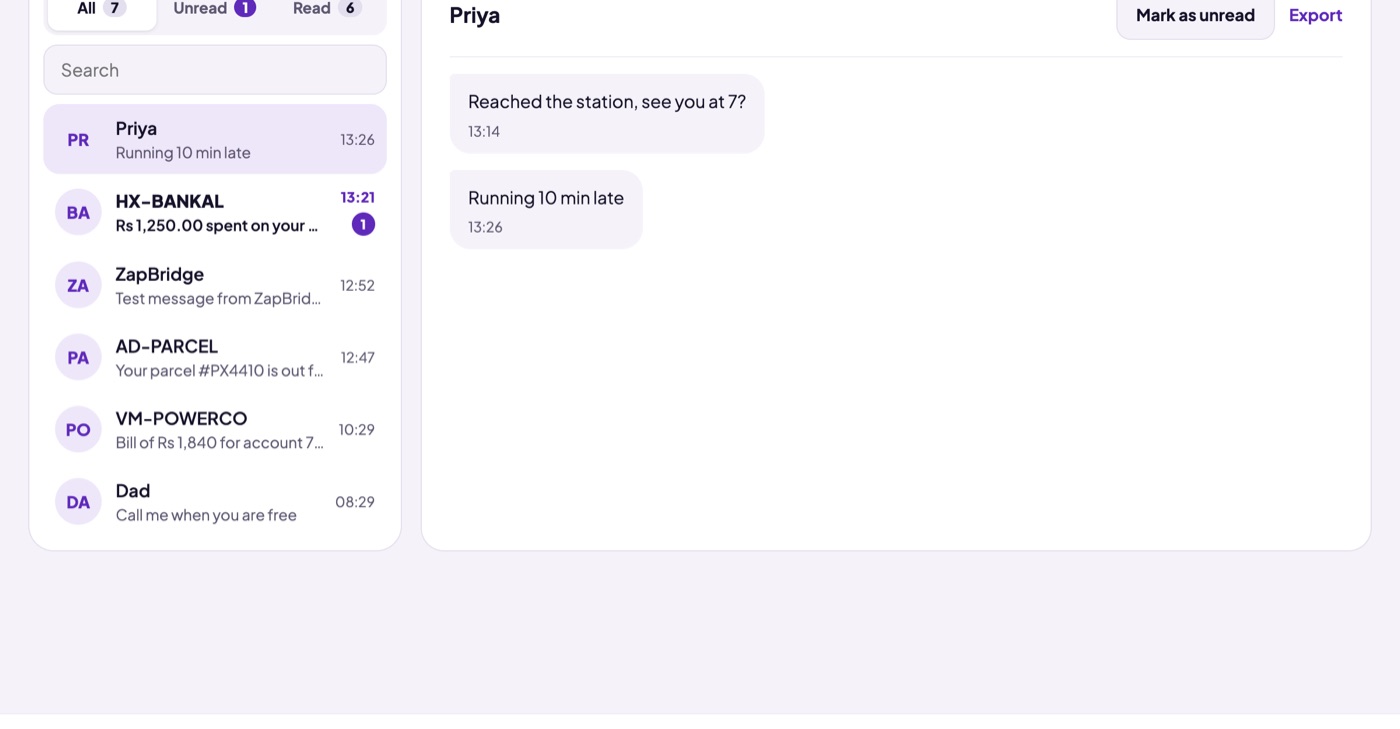
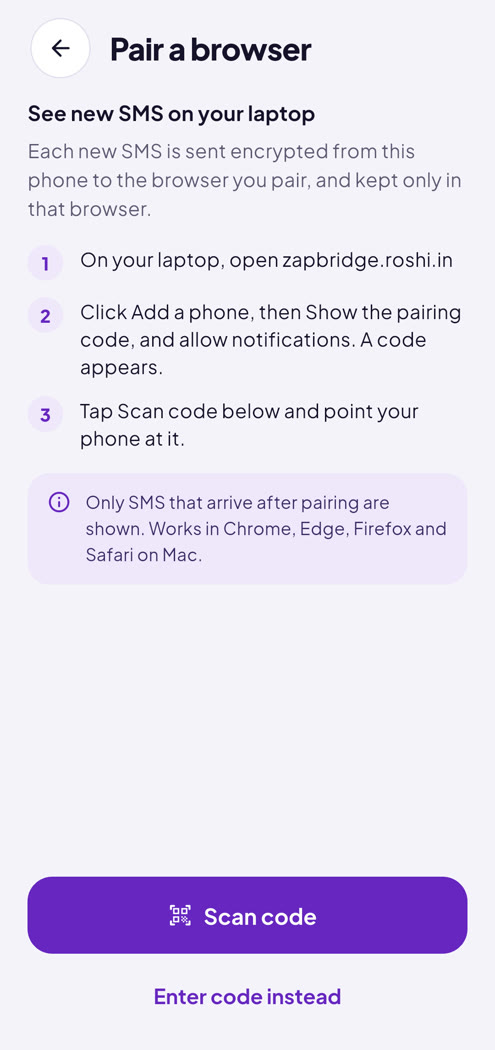
Scan a code once, and every new SMS shows up in your browser seconds after it reaches your phone. Pair more than one phone: each is kept separate and labelled.
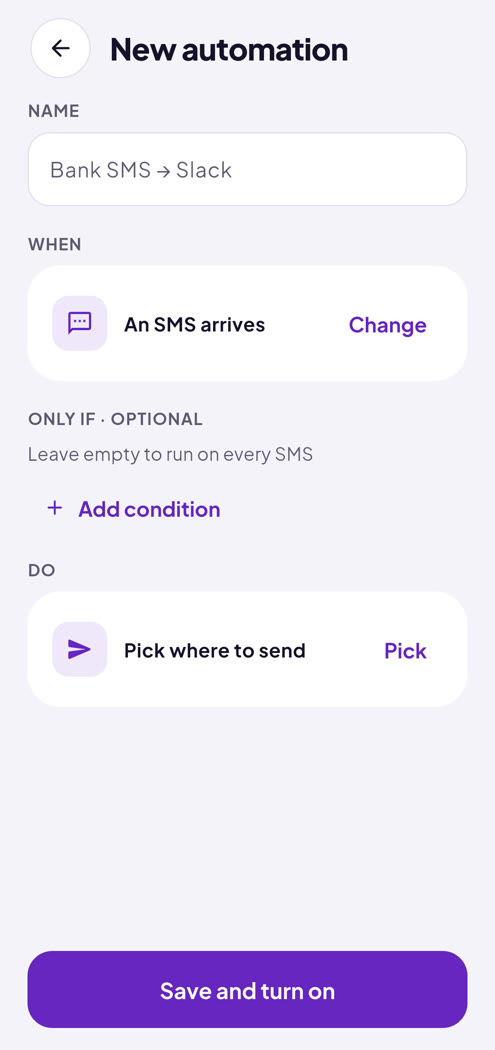
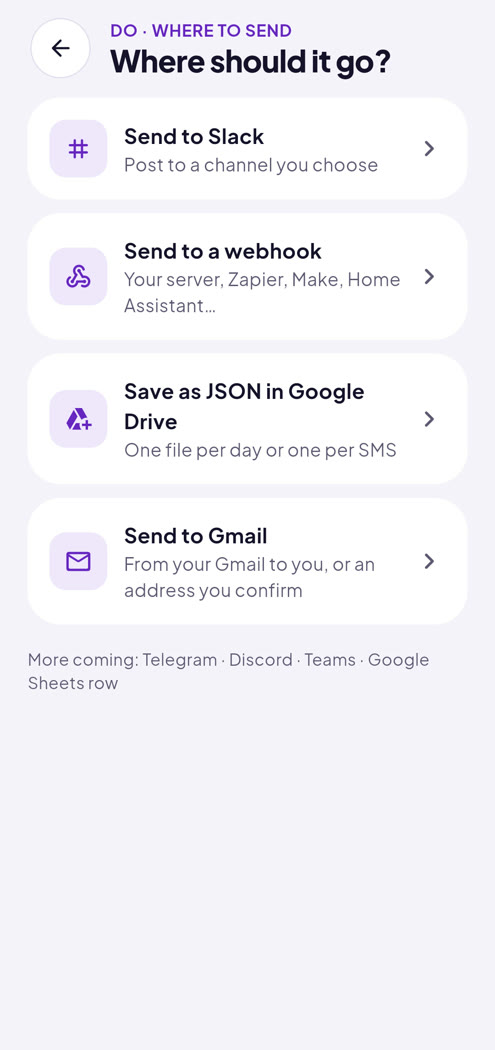
Build your own rules: choose when they run, what they look for, and where texts go.
USE CASES
Back up to Google Drive on the old phone, restore on the new one. Every thread comes across.
Delivery updates and messages appear on your laptop, so your phone can stay in your bag.
Bank and card SMS go to a webhook or a Drive file as they arrive, ready for your spreadsheet or app.
Texts from a shop or office number post to Slack, so everyone sees them.
One email at 9 PM with the day's texts that matter, skipped on days with none.
A scheduled automation saves a fresh backup file to Drive every week.
SCREENSHOTS
FAQ
No. ZapBridge runs locally on your phone. Roshi Software Solutions never receives your texts, contacts, or anything from your Google account.
Texts go only where you send them: a backup file you choose, a browser you paired, or the destination an automation names.
Never. ZapBridge doesn't even ask for permission to send SMS, so it can't send texts, can't cost you SMS charges, and can't text anyone in your name. It only reads SMS for the features you turn on.
No. For Gmail it asks only to send email, so it can't read your inbox. For Google Drive it can see only the files ZapBridge itself created. You connect them only if a backup or an automation needs them, and you can disconnect any time in Settings.
No. There are no ads, no analytics and no tracking in the app or on this website, and nothing is sold or shared with anyone.
Each text is encrypted on your phone and only the browser you paired can decrypt it. It travels through your browser's own notification service (for example Google's for Chrome, Apple's for Safari), which can't read it. The browser saves texts only on that computer.
All of it stays on the phone and is deleted when you turn everything off or uninstall the app.
To read the texts it backs up, restores, shows on your laptop or passes to your automations. It asks only when you start one of those features for the first time, and explains why first. Until then it has no access to your SMS.
Say no to any of them and the rest of the app keeps working.
On your phone: to tell you a backup or restore finished, an automation couldn't send something, or Gmail or Drive needs you to sign in again. No promotions, ever.
On your laptop: notifications are how new texts reach the browser, even when the tab is closed. By default they say only who the text is from; you can choose to show the text too.
Android lets only the default SMS app write texts back to the phone. ZapBridge asks for it only while a restore runs, then helps you switch back to your usual messaging app.
Any time, in Android Settings › Apps › ZapBridge › Permissions. Features that need it pause and tell you why.
Not yet. ZapBridge handles SMS only.
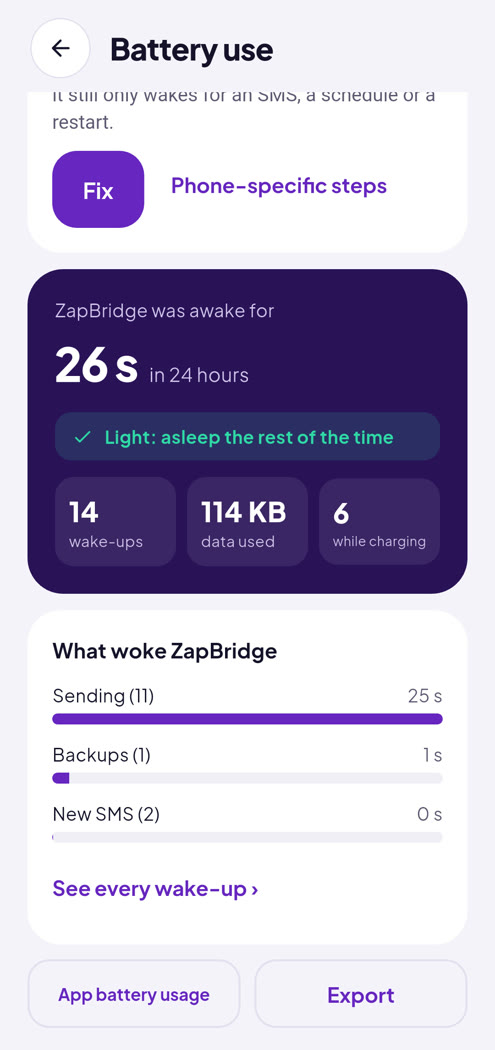
No. It never stays running in the background: it wakes only for a new SMS, a schedule or a restart. The Battery use screen shows exactly how often it woke up and for how long.
Yes. Each phone's texts are kept separate and labelled, and you can rename or remove phones in Devices.
No. iPhones don't let apps read SMS, so ZapBridge is Android only.
ZapBridge is built to respect your rights under the privacy laws that apply where you live, including the EU and UK GDPR, the California Consumer Privacy Act (CCPA/CPRA), India's Digital Personal Data Protection Act (DPDP), Brazil's LGPD and similar laws. The simplest protection comes first: the app runs locally on your phone, so we don't hold your texts at all.
Roshi Software Solutions Pvt Ltd makes ZapBridge. Your texts and contacts are processed on your own device, on your instructions, and we don't receive a copy. When you send them to a service like Gmail, Google Drive or Slack, that service is responsible for them under its own privacy policy.
Your consent, given feature by feature when you turn something on, and only to do what you asked: back up, restore, show texts on your laptop, or run your automations. Nothing is used for advertising, profiling or training.
Any time, as easily as you gave it: turn the feature off, disconnect Gmail or Drive in Settings, revoke the permission in Android, or use Settings › Turn off everything and sign out. Withdrawing doesn't affect what was already done.
Backup files you saved to Drive, email or elsewhere stay there until you delete them.
No. We don't sell or share personal information for advertising, as the CCPA defines those terms, and we never have.
ZapBridge doesn't move your data anywhere you didn't choose. If you send texts to a service such as Gmail, Google Drive or Slack, that service may store them in other countries under its own safeguards.
ZapBridge is meant for adults (18+) and isn't directed at children. We don't knowingly process children's data.
Write to our privacy contact, Nishant Bhatia, at contact@roshi.in. We reply within 10 days. You can also complain to the data protection authority where you live, for example your EU or UK supervisory authority or the Data Protection Board of India.
Full details are in our privacy policy.
Didn't find your answer? Write to contact@roshi.in.